
All your settings, explained
Requirements
- Available on: All plans
- Device access: Web & mobile browser
- Permission: Owner or Manager (some tabs are Owner-only)
Settings is the control panel for your salon. This is a quick tour of each tab so you know where everything lives — with links to the full guides for the bigger topics.
Open Settings
In the left menu, click Settings. Tabs run across the top; click one to switch.
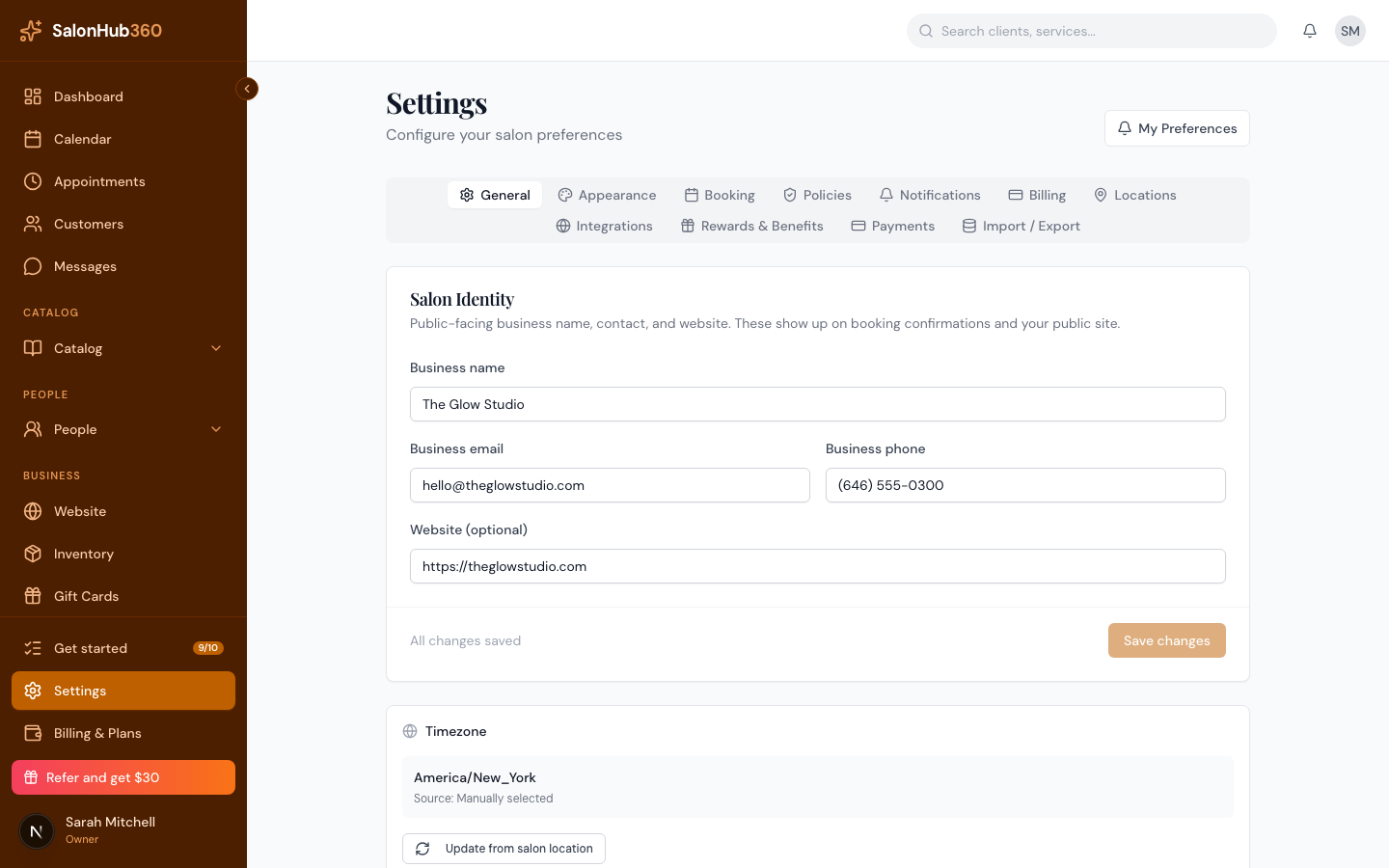
What each tab does
| Tab | What you set there |
|---|---|
| General | Your salon's public name, email, phone, website, time zone, and logo. |
| Appearance | Your brand color and the layout clients see when booking. |
| Booking | Online booking rules — lead time, how far ahead clients can book, cancellation notice — and whether prices show on your booking page. |
| Policies | Sales tax, plus deposit, cancellation, and no-show rules. |
| Notifications | The confirmation emails, reminders, and staff alerts your salon sends. |
| Billing | A link to Billing & Plans, where you manage your subscription. |
| Locations | Your salon's locations and their business hours. |
| Integrations | Calendar feed — a private subscription link for Google, Apple or Outlook. |
| Rewards & Benefits | A link to set up your stamp-card rewards program. |
| Payments | A link to set up SalonHub360 Payments to accept cards. |
| Import / Export | Bring clients and services in from a CSV, or download a backup. |
Note: A few tabs are quick links to dedicated pages — Billing, Rewards & Benefits, and Payments each open their own screen so those areas have room to grow.
Where the full guides live
- General → name, time zone, logo: Set your business name, time zone & logo
- Appearance → brand color: Set your brand color & appearance
- Booking: Booking rules & display
- Policies: Policies: deposits, cancellation, no-show & tax
- Notifications: Notifications & reminders
- Locations: Add your location & business hours
- Integrations: Subscribe to your calendar feed
- Payments: How to set up SalonHub360 Payments
- Import / Export: Import your clients & services from a CSV
Tip: Looking for your own notification and calendar choices instead of salon-wide ones? Use My Preferences — see Your profile & personal preferences.
Related articles