
Your profile & personal preferences
Requirements
- Available on: All plans
- Device access: Web & mobile browser
- Permission: Any staff with a login
My Preferences is where you choose what SalonHub360 tells you about — your own notifications, client-note reminders, and calendar sync. These are personal choices, separate from the salon-wide settings that decide what your clients receive.
How to open My Preferences
-
In the left menu, open Settings, then click My Preferences (top right).
<!-- CAPTURE: route=/settings/preferences | login=provider | state=My Preferences page | highlight=My notifications section | viewport=1440x900 -->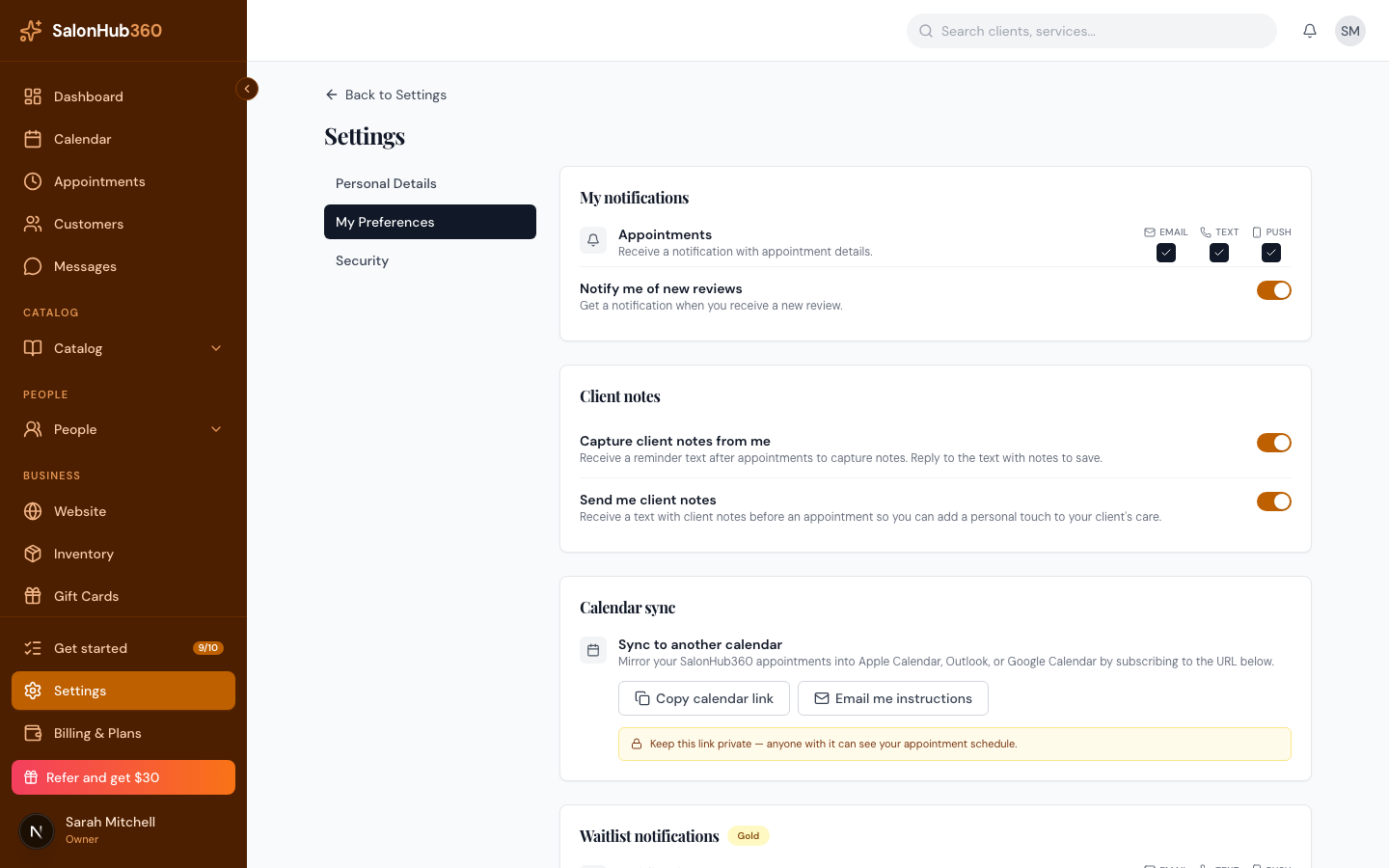
-
Set the preferences you care about:
- My notifications — choose how you're told about Appointments (Email, Text, or Push), and turn Notify me of new reviews on or off.
- Client notes — opt in to a reminder text to capture notes after appointments, and to receive client notes before an appointment so you can add a personal touch.
- Calendar sync — copy your personal calendar link or email it to yourself to mirror your appointments into Apple Calendar, Outlook, or Google Calendar.
Your changes save as you make them.
Note: Preferences are saved on this device. Syncing them across devices is coming in a future update — set them on each device you use for now.
Note: The page also links to Personal Details and Security. Use Security to manage your own password.
Tip: For the full calendar-feed walkthrough, see Subscribe to your calendar feed. To change what your clients receive, see Notifications & reminders.
Related articles