
Independent vs. With-Salon booth renters
Requirements
- Available on: Starter and above ($9.99/renter/mo add-on on Starter, Growth & Premium; included on Enterprise). Rent Collection ledger requires Growth and above.
- Device access: Web & mobile browser
- Permission: Owner
If independent stylists or technicians rent a chair, station, or suite at your salon, SalonHub360 gives you two ways to work with them: Rent Collection (tracking and charging booth rent) and Booth Renter Seats (giving renters their own Independent or With Salon workspace).
Rent Collection vs. Booth Renter Seats
| Feature | What it does | Plan requirement |
|---|---|---|
Rent Collection (rentCollection) | Track weekly or monthly chair/suite rent agreements, invoices, due dates, and rent payments. | Growth ($49.99/mo) and above |
Booth Renter Seat (booth_renter) | Adds an active Booth Renter profile in either Independent mode or With Salon mode without mixing 1099 renter revenue into W-2 employee wages. | $9.99/renter/mo add-on on Starter ($19.99/mo), Growth ($49.99/mo), and Premium ($99.99/mo) · Included on Enterprise |
Choosing a Booth Renter mode: Independent vs. With Salon
When you set a team member's employment type to Booth Renter under Staff, you choose how they operate inside your salon:
| Capability | Independent mode | With Salon mode |
|---|---|---|
| Service pricing & hours | Renter sets their own service prices, durations, and working hours. | Uses the salon's shared service catalog and front-desk checkout flow. |
| Card payments & payouts | Renter connects their own SalonHub360 Payments (Stripe) account and receives direct payouts. | Clients check out through the salon's POS / SalonHub360 Payments account. |
| Client notes & photos | Private to the renter by default so independent client formulas stay confidential. | Shared with the salon's front desk according to role permissions. |
| Staff turn rotation | Skipped by default (shows Independent renter skip reason), with an optional daily opt-in toggle if they want walk-ins. | Eligible to participate in the salon's daily turn rotation when checked in. |
| Payroll & tax separation | Excluded from salon W-2 payroll worksheets. | Summarized in a separate Booth Renter Summary panel inside Payroll (card sales collected by salon minus booth rent/fees owed) — never mixed with W-2 employee wages or overtime. |
How to set up a Booth Renter seat
-
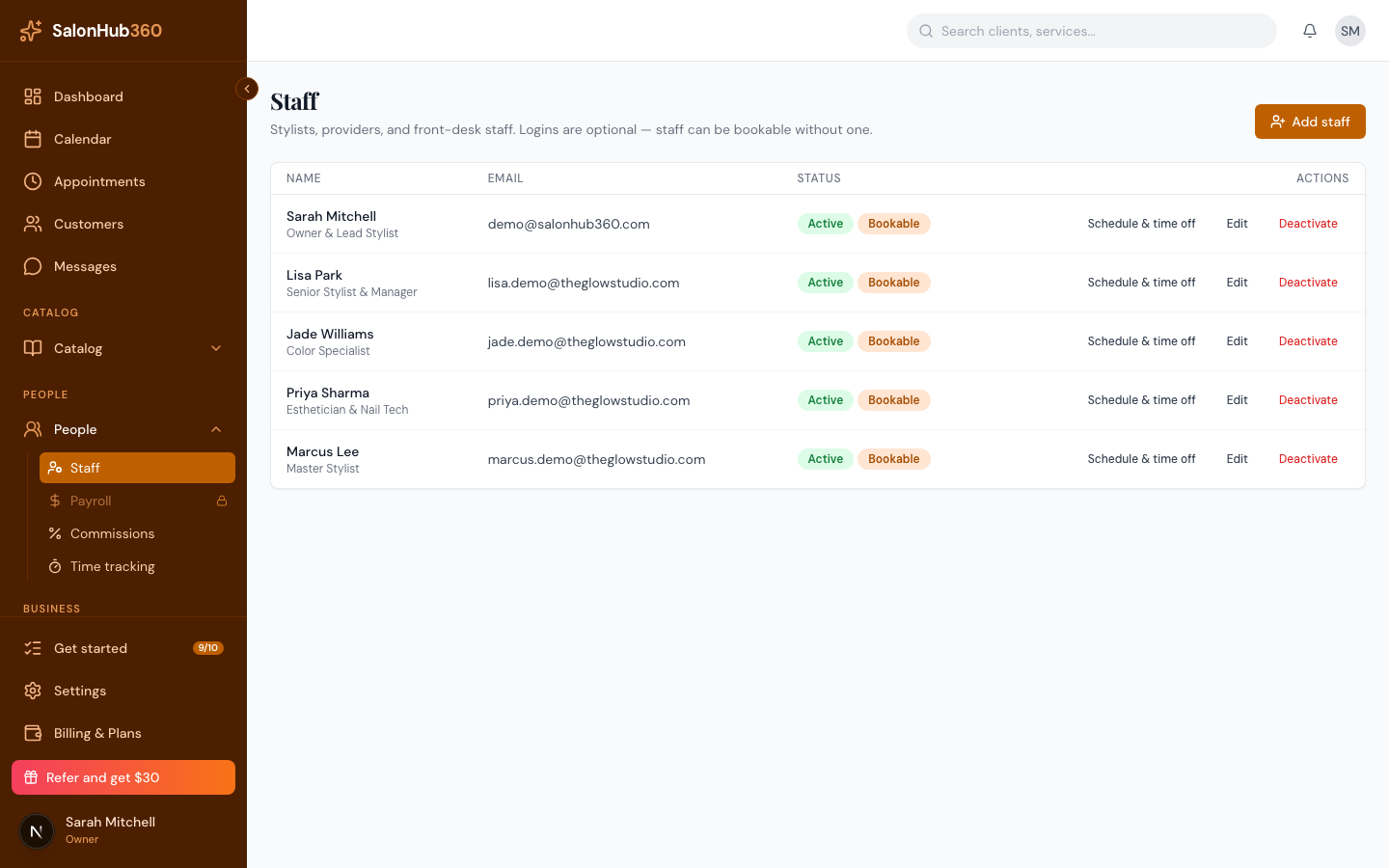
In the left menu, open Staff, click Add staff (or Edit on an existing profile), and choose Booth Renter under Employment type.
-
Select Independent or With Salon mode:
- If you are on Starter, Growth, or Premium, SalonHub360 prompts you to confirm a $9.99/month Booth Renter seat add-on (or assigns an available seat). On Enterprise, seats are included automatically.
-
Click Save.
How to transition a staff member between Employee and Booth Renter
Because Employees (W-2) earn hourly wages, overtime, and commissions while Booth Renters (1099) operate under a rental agreement, transitioning a profile requires a clean cutoff between pay periods:
- Close and approve any open payroll period first: Open Payroll and make sure all completed shifts and commissions for the staff member's prior employment status are locked in an Approved or Paid pay period.
- Settle any open rent ledger items (when moving from Renter to Employee): Open Rent Collection and record or close any outstanding rent invoices.
- Update the profile on the effective date: Open Staff → Edit, switch the classification between Employee and Booth Renter (
IndependentorWith Salon), and click Save. Historical payroll periods preserve the person's classification at the time those earnings were recorded.
Related articles