
How to set up birthday rewards automation
Requirements
- Available on: Growth and above
- Device access: Web & mobile browser
- Permission: Owner
Make every client feel remembered on their birthday — automatically. SalonHub360 gives you two birthday tools: a birthday email greeting and a birthday reward that drops a voucher into the client's account. Both run on their own once set up.
Send a birthday email
The Birthday Email automatically emails a greeting to clients whose birthday is today and who have a birthday, an email, and marketing consent on file.
-
In the left menu, open Marketing, then choose Birthday Email (or go to /marketing/birthday).
<!-- CAPTURE: route=/marketing/birthday | login=owner | state=editor loaded | highlight=template editor and preview | viewport=1440x900 -->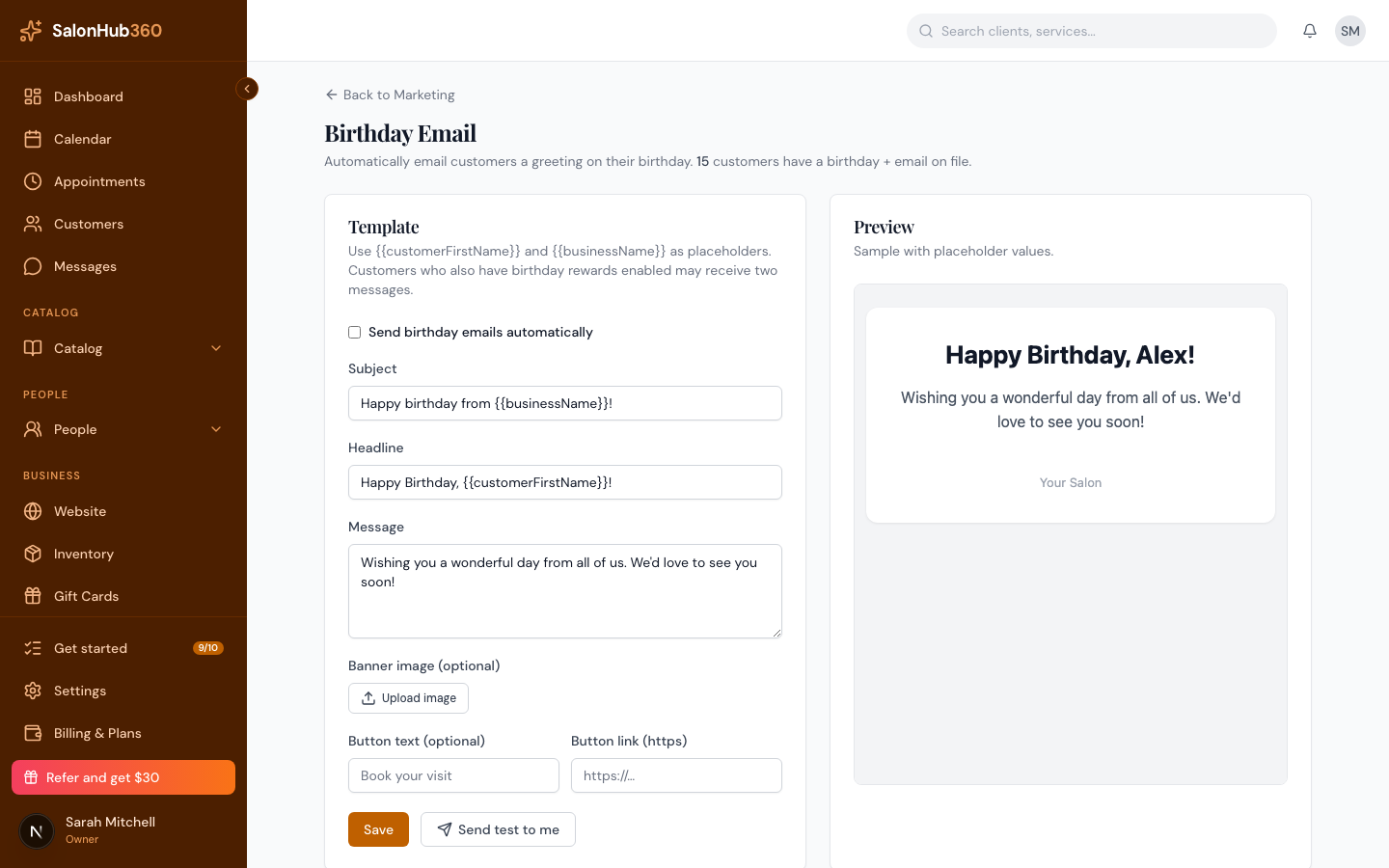
-
Tick Send birthday emails automatically to turn the greeting on.
-
Fill in the Subject, Headline, and Message. Use
{{customerFirstName}}and{{businessName}}as placeholders — they're filled in for each client. -
(Optional) Upload a Banner image and add a Button text and Button link (for example, a "Book your visit" button to your booking page).
<!-- CAPTURE: route=/marketing/birthday | login=owner | state=editor with image + CTA | highlight=banner and button fields | viewport=1440x900 -->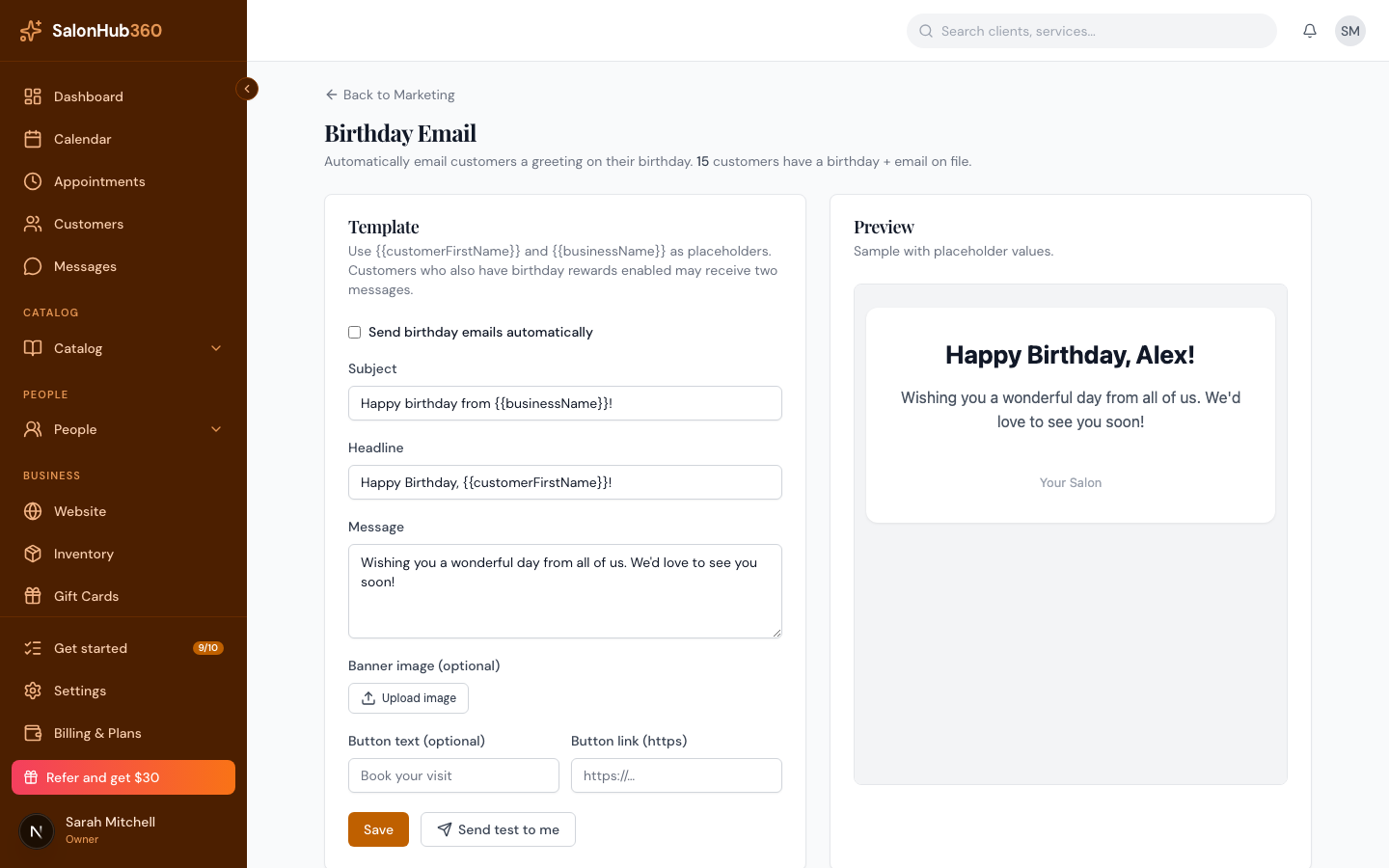
-
Click Save. Use Send test to me any time to preview the real email in your own inbox.
Note: The header shows how many clients currently have a birthday and email on file, so you know the automation has an audience.
Add a birthday reward (a voucher)
To give clients an actual reward on their birthday — not just a greeting — set a birthday reward inside your rewards program.
-
Open Settings → Rewards & Benefits and scroll to Birthday reward (optional).
-
Choose a reward to send (or select + Create new reward… to build one — see Create reward types).
-
Set how many days before their birthday the reward should arrive, then Save program.
Note: If a client has both the birthday email and a birthday reward enabled, they may receive two messages — a greeting and a reward notification. That's expected.
Tip: This article focuses on the rewards side. For the full email-automation walkthrough, see Set up birthday email automation.
Related articles